How to turn a TikTok search question into a useful post

Creator Search Insights can help investigate what people search for on TikTok, where the feature is available. A search phrase is a starting point for a question, not proof that a post will attract views or that nobody has answered it well.
This illustrative guide follows one question: “How do I remove a long pause from a video?” The output is a small carousel that shows the operation in an editing app the creator actually uses. No measured result or particular app capability is being claimed here.
1. Find a question you can answer
Check the feature's availability in your account and follow TikTok's Creator Search Insights guidance. Record the phrase, the date, and what the interface actually reports. Keep your interpretation separate from the displayed information.
Choose a question within your experience. “Edit videos faster” is broad; removing one unwanted pause is a bounded task. If a topic requires an app you cannot access, choose another question rather than inventing its controls.
2. Prepare the demonstration first
Use a clip you own or have permission to publish. Perform the edit in the relevant app and record the actual steps, including how to undo the change. Keep the original file available so a mistaken trim does not become the only copy.
Check where the edit could go wrong. In this example, cutting too close to the next word could remove part of it. That observation belongs in the post because it helps the reader inspect their own result.
3. Write an outline that contains the answer
A possible six-slide sequence is:
- Name the pause-removal task and the app used.
- Show the unwanted pause in the illustrative clip.
- Identify the relevant editing control using its actual label.
- Show the cut and explain the chosen boundaries.
- Play the join and listen for a clipped word.
- Explain how to undo and adjust the cut if necessary.
Replace any placeholder with verified wording before publishing. “Use the magic edit button” is not an instruction unless that control exists and does what the article says.
4. Draft the carousel and check it independently
ViralityWand can help arrange the supplied explanation as editable carousel slides. It cannot establish the editing app's behavior from a vague topic. Review the draft against the recorded operation and supply permitted screenshots where they help.
Read the sequence without relying on your own familiarity with the task. If slide four introduces a control that slide three never identified, repair the gap. Check text size and the actual upload preview as well.
5. Review questions without inventing a formula
After publication, use the analytics the account actually provides and record any reader confusion. A request about a different editing app may justify another demonstration. It is not evidence that the first post failed.
Search suggestions and feature availability can change. Keep the source date and recheck the instructions when revisiting the post. The useful output is an answer someone can follow, even if its performance remains uncertain.
How to do it in ViralityWand
- Open this brief in ViralityWand. The link prefills the idea field; it does not start generation. Sign in if asked, then add your real source notes and replace any working placeholders.
- In Template, choose a layout that fits the explanation; inspect its structure instead of assuming it supports an exact slide count. Open Writing and choose English. Set Slides where the chosen template allows it. Lesson Series is a real text-led option to inspect, not a required choice. Browse matching templates.
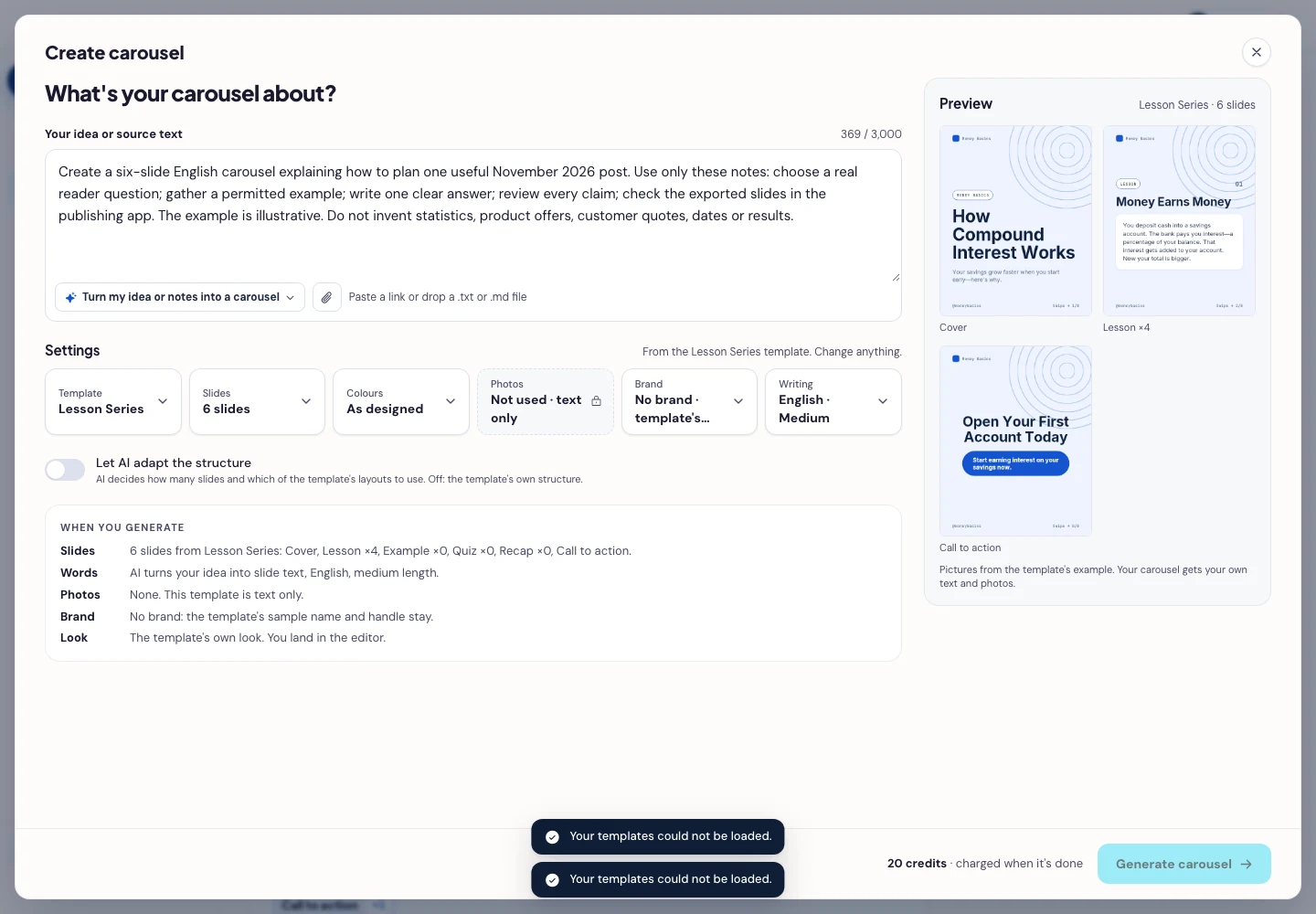
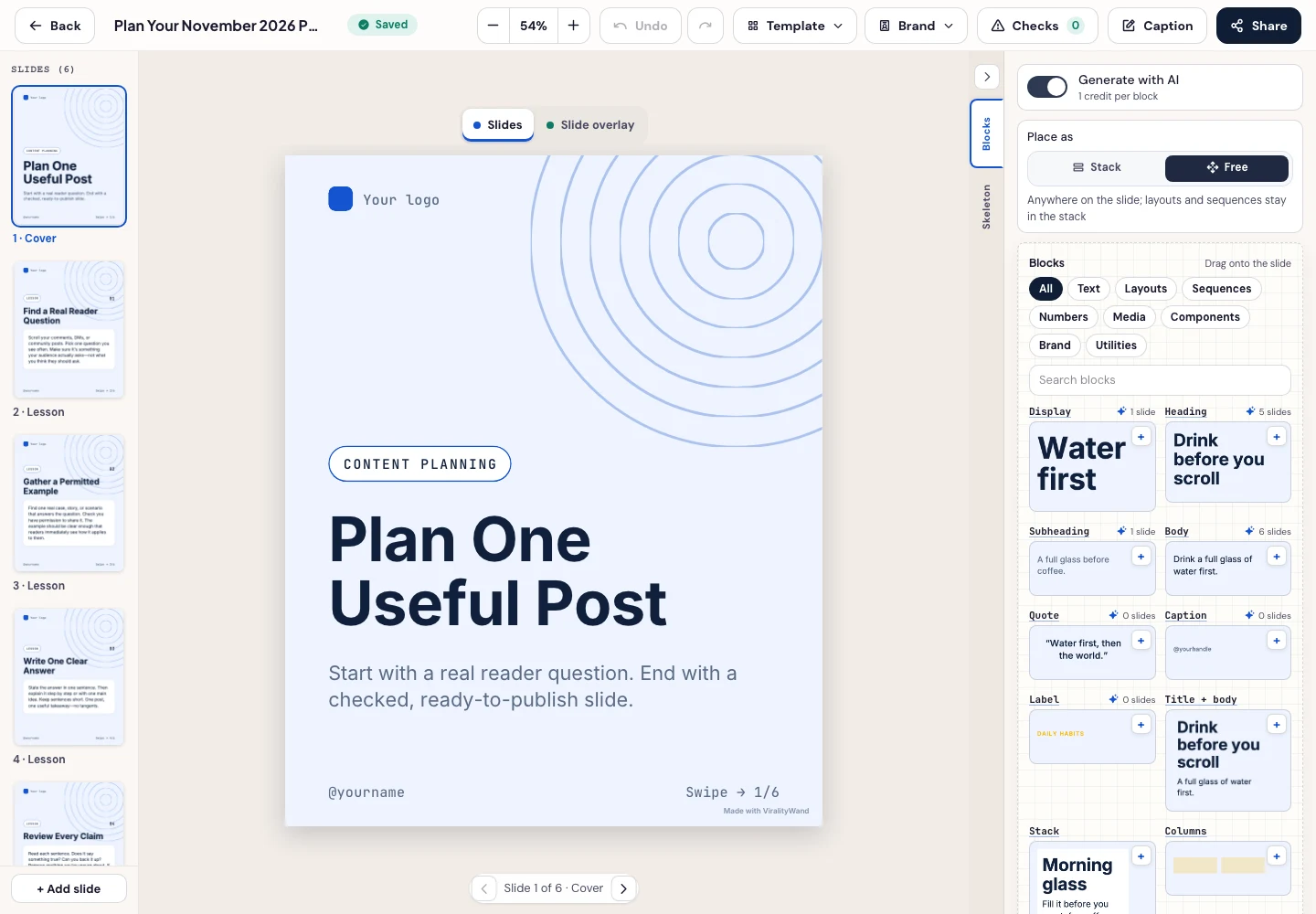
- Press Generate carousel only after checking the brief and the credit amount shown in the app. In the editor, review every slide, edit unsupported wording, and use Brand or the text controls to replace sample names, handles, and logos. Match every control name and action to the editing app you actually demonstrated.
- Open Share → Download ZIP, unpack the slide images, and check their order, text and destination upload preview. This is a download workflow; publishing remains a separate step.
Further reading: TikTok Hook Generator.
It feels good to have your first carousel going viral 😏
Just your idea, click-clack and voila! ViralityWand made just for that